Use of AI in UX & Product Design
AI is rapidly reshaping expectations within product and UX teams. Employers increasingly look for designers who are not just AI-aware, but AI-fluent — able to integrate intelligent tooling seamlessly into their workflow. I've embraced this shift by embedding AI (where appropriate) across the end-to-end design process: from accelerating discovery research synthesis and insight clustering, to expanding ideation breadth, stress-testing concepts, generating edge cases, and supporting rapid prototyping.
When used well, AI acts as a creative and analytical multiplier — increasing speed, depth, and exploratory range — while I retain critical thinking, domain judgement, and design ownership. The result is faster iteration cycles, broader solution spaces, and more strategically informed product decisions.
AI tools
Work and personal use.


















AI Prompting Methodology
My current prompting methodology is using the COSTAR technique.
C
Context
O
Objective
S
Style
T
Tone
A
Audience
R
Result
AI-powered Design Assistant (Agent)
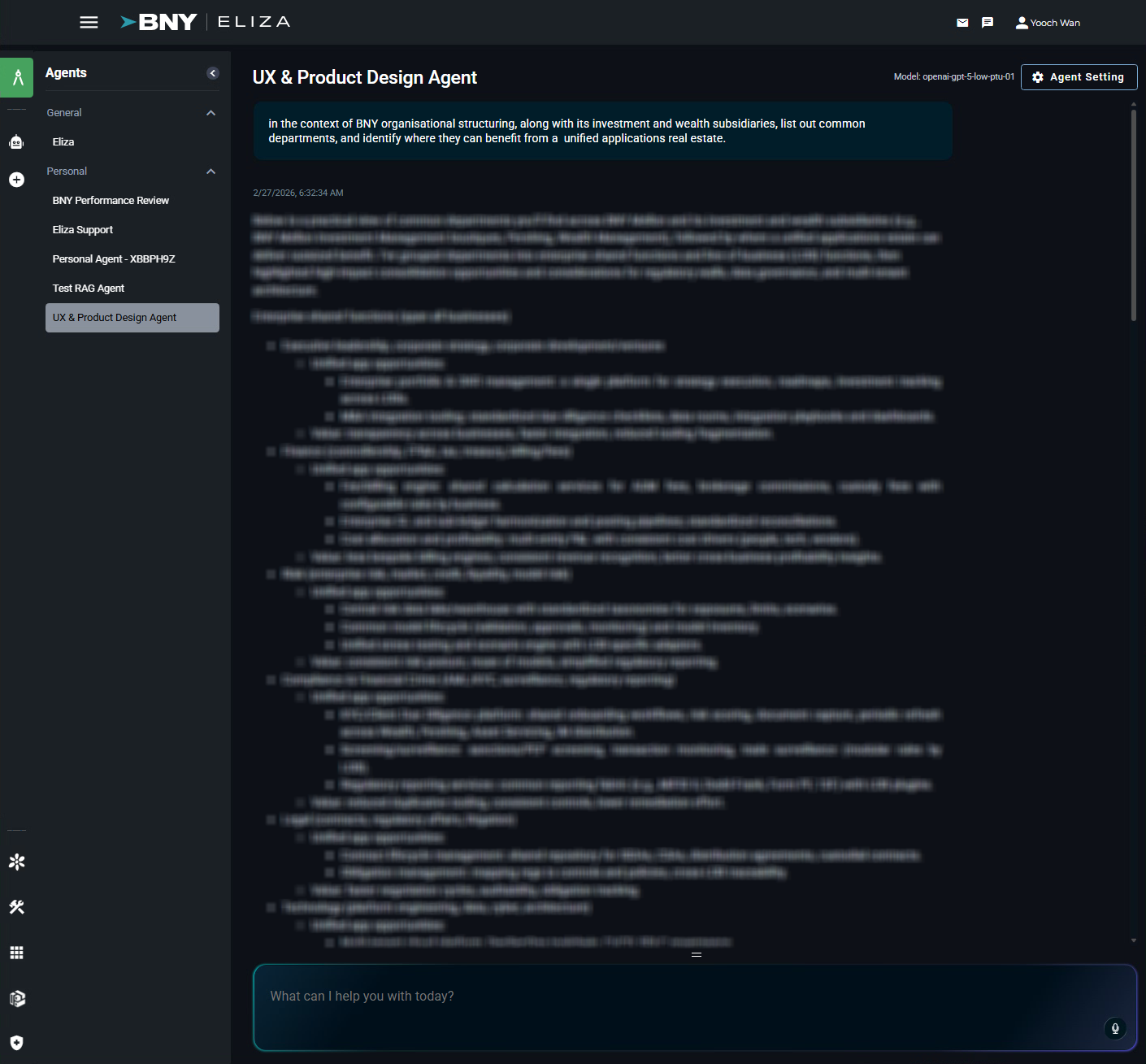
As part of BNY's mandatory AI enablement programme — totalling approximately 80 hours of formal AI training per employee — I designed and built a personal AI agent to support discovery and design activities within the UX and product design process, applying AI directly to real-world design workflows rather than theoretical use cases.
Screenshot
How I use AI
I use AI to make my design process smarter and faster—not to replace human judgment, but to speed up routine tasks, broaden my perspective, and support better, more consistent decisions.
Guided by the Double Diamond, I bring AI into my workflow wherever it genuinely improves efficiency, clarity, or impact, while keeping final accountability firmly human.
Discover
Making sense of research faster
In the discovery stage, AI helps me quickly organise and understand big sets of research data, from interview notes and surveys to customer feedback. It spotlights key patterns and themes so I can build solid, evidence-based insights in a fraction of the time.
Typical outputs:
- Research summaries and themes
- Early personas and Jobs-to-Be-Done hypotheses
- Market and competitor insights
- New opportunity areas
Tools:
- ChatGPT
- Claude
- Dovetail
- Perplexity
Define
Clarifying the problem and shaping alignment
AI helps me test assumptions, reframe challenges, and sharpen problem statements early on. I use it to outline clear design principles, success measures, and possible risks — making it easier to align quickly with teams and stakeholders.
Typical outputs:
- Clear, concise problem statements
- Prioritised opportunity areas
- Design principles and success metrics
- Clear risks and assumptions
Tools:
- ChatGPT
- Miro (AI features)
- FigJam (AI features)
- Notion (AI)
Develop
Exploring ideas and turning them into reality
During development, AI helps me brainstorm more freely and move faster from concept to prototype. I use it to create multiple design variations, write UX copy, map flows, and quickly test ideas before committing to a direction.
Typical outputs:
- Concept variations
- User flows and interaction models
- Wireframes and prototypes
- UX writing and edge-case handling
Tools:
- ChatGPT
- Figma (AI / Make)
- Lovable
- Uizard
Deliver
Polishing work and learning from outcomes
When it's time to ship, AI supports quality checks, documentation, and learning. It helps with accessibility reviews, consistency checks, and post-launch analysis so design intent carries through — and so each project teaches something for the next.
Typical outputs:
- Accessibility and consistency checks
- Clear design-to-engineering handover
- Release documentation and design rationale
- Post-launch insights
Tools:
- ChatGPT
- Figma (AI / Make)
- Stark
- Maze
A few examples of AI-assisted design
Persona creation
 - Copilot UI - Persona Creation - 01 of 07.png)
Prototyping a custom UI component
(via vibe-coding)
Design of a customised accordion UI component for a specific use-case enabling portfolio managers within the asset management industry to view portfolios, positions, model and calibrate trades, and view its effects to the cumulative net risk, asset & liabilities, and net risk as visualisations.
Outcomes
For Product team:
-
Demonstrated how AI-assisted rapid prototyping can accelerate exploration of non-standard UI behaviour — 15 mins vs. hours or days
For users:
-
Eliminated context switching between applications
-
Reduced window and tab proliferation
-
Preserved situational awareness while supporting different task phases
LLM used: ChatGPT 5.1 (24-Nov-2025)
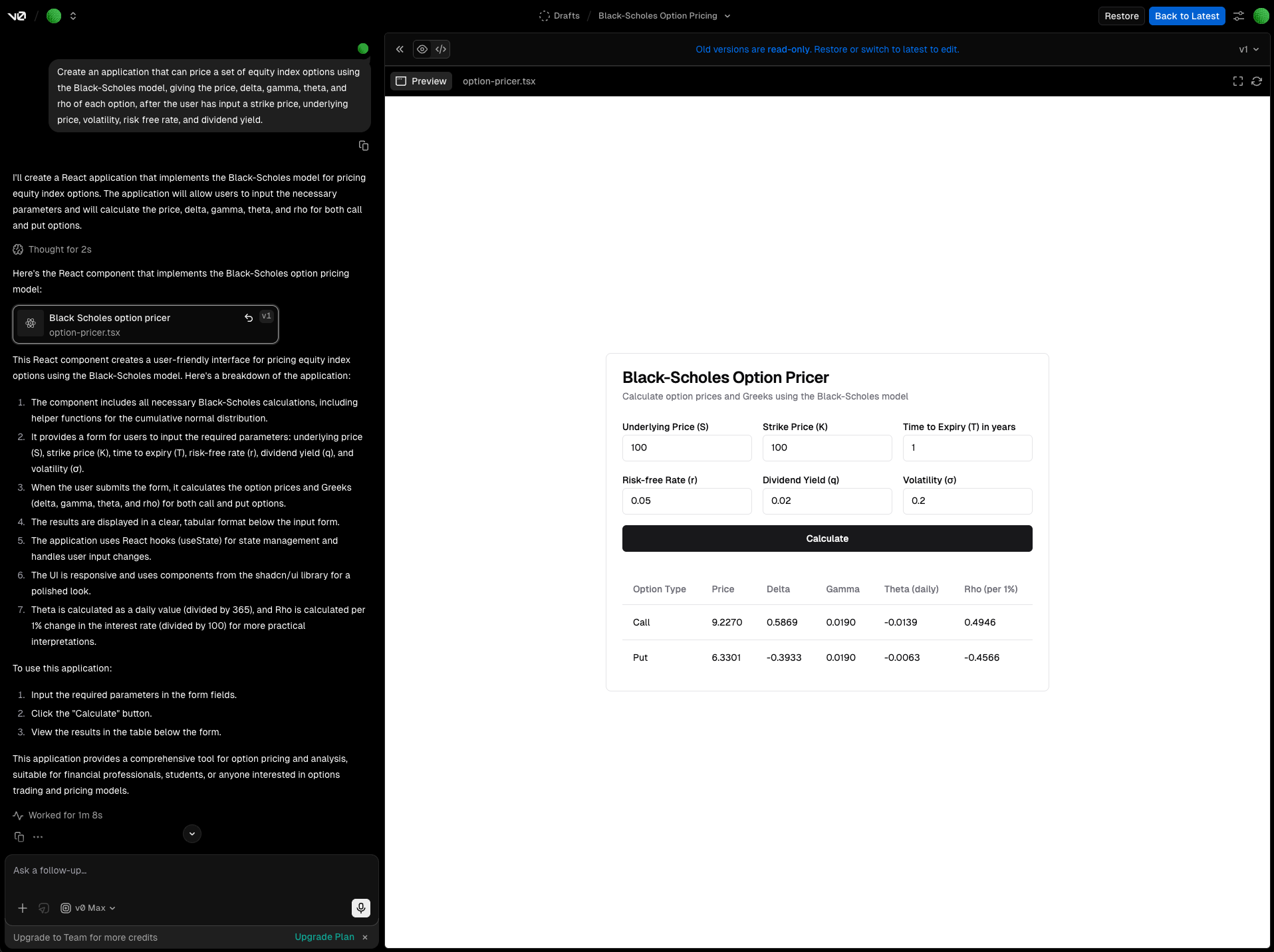
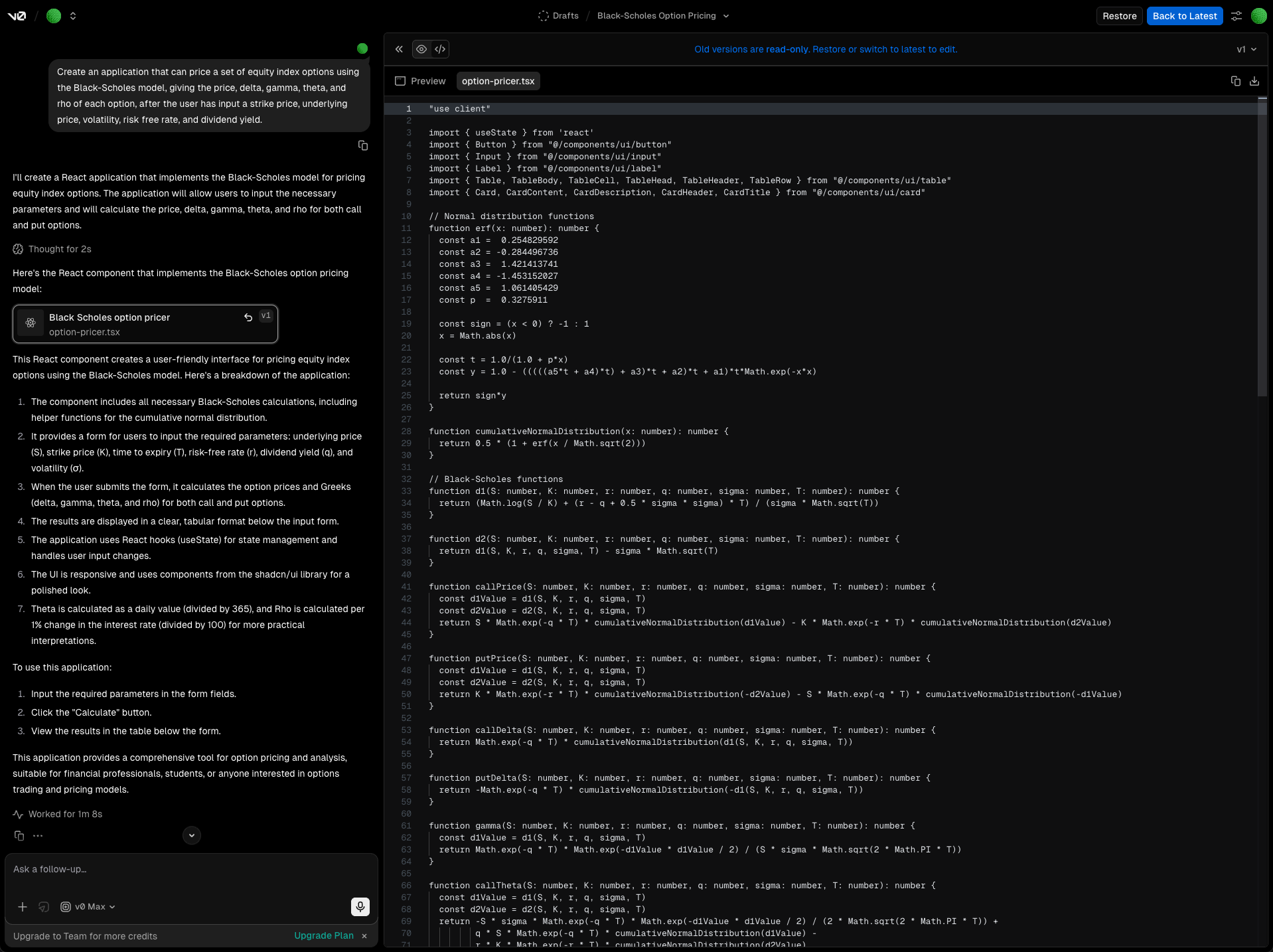
Prototyping an Equities Option Pricer Application
(using V0.app)
Creating an application that can price a set of equity index options using the Black-Scholes model, giving the price, delta, gamma, theta, and rho of each option, after the user has input a strike price, underlying price, volatility, risk free rate, and dividend yield.
Screenshots from 2024
Experiments in AI-assisted Design
View some personal projects in the AI Lab .