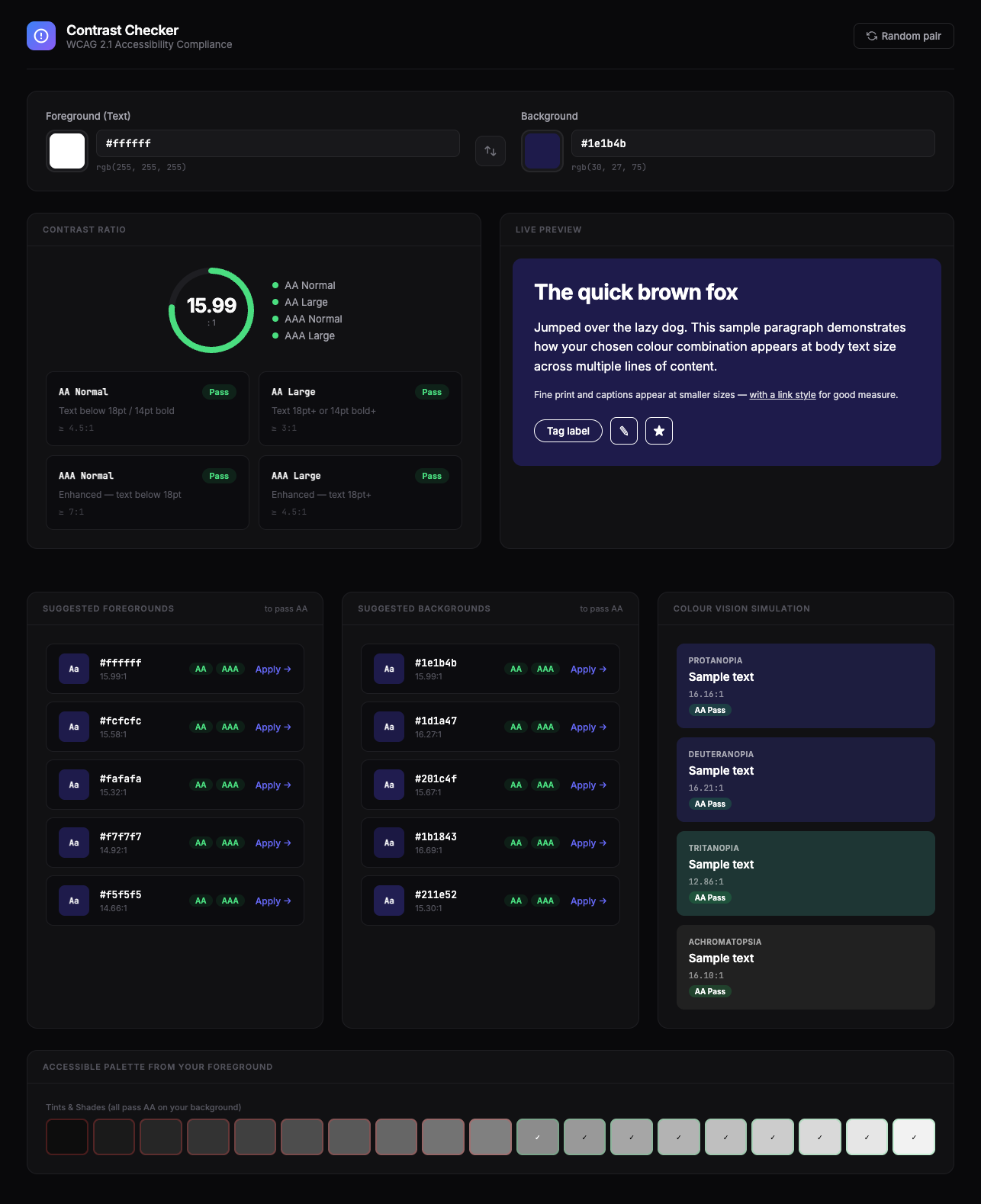
Bitcoin Value Projection Calculator
using Stock-to-Flow and Power Law pricing models
2026
LLM used: Anthropic Claude - Opus 4.6
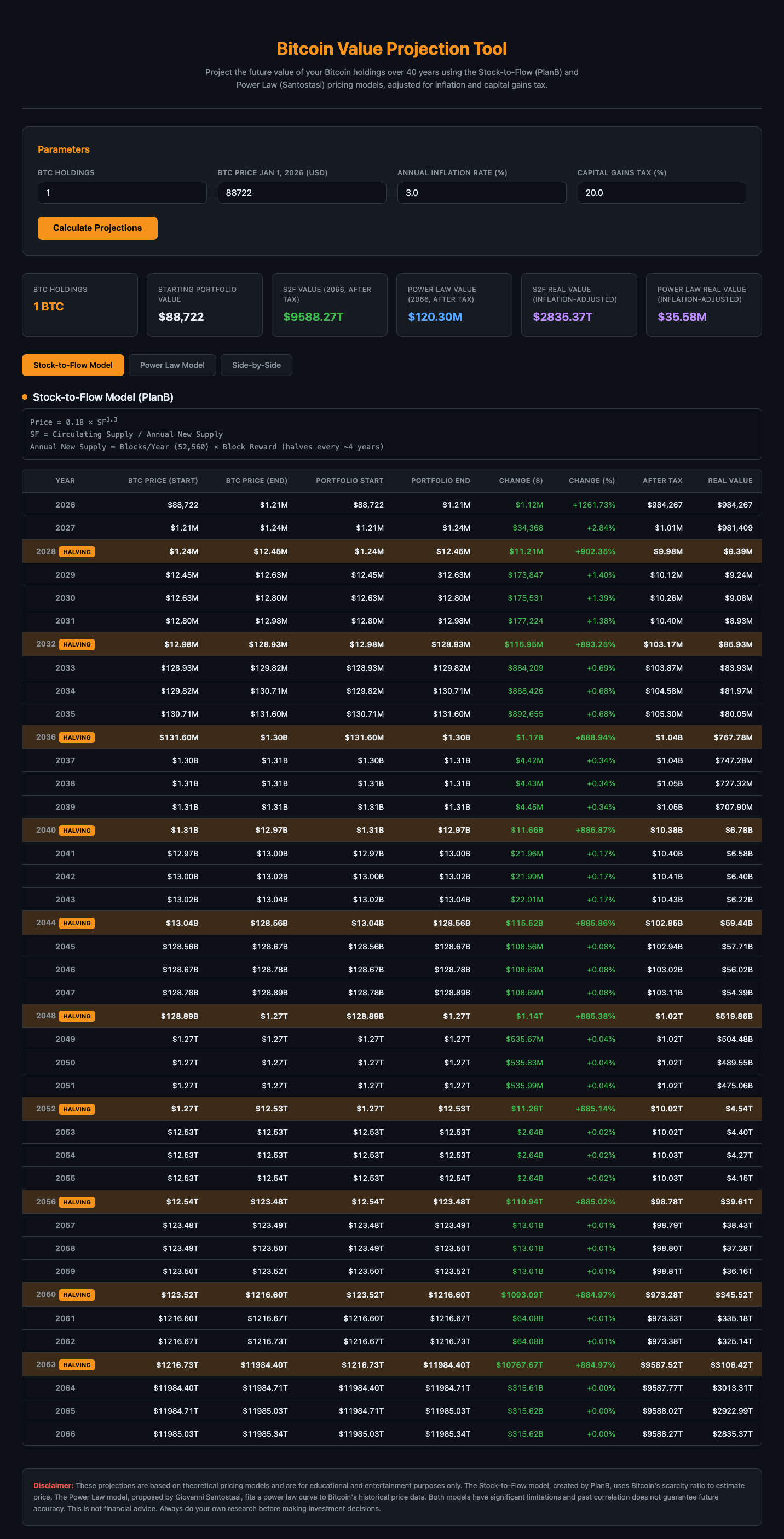
Savings vs. Investments Visualiser
with inputs for savings rate and investment index (S&P 500 or Nasdaq)
2026
LLM used: Anthropic Claude - Opus 4.6
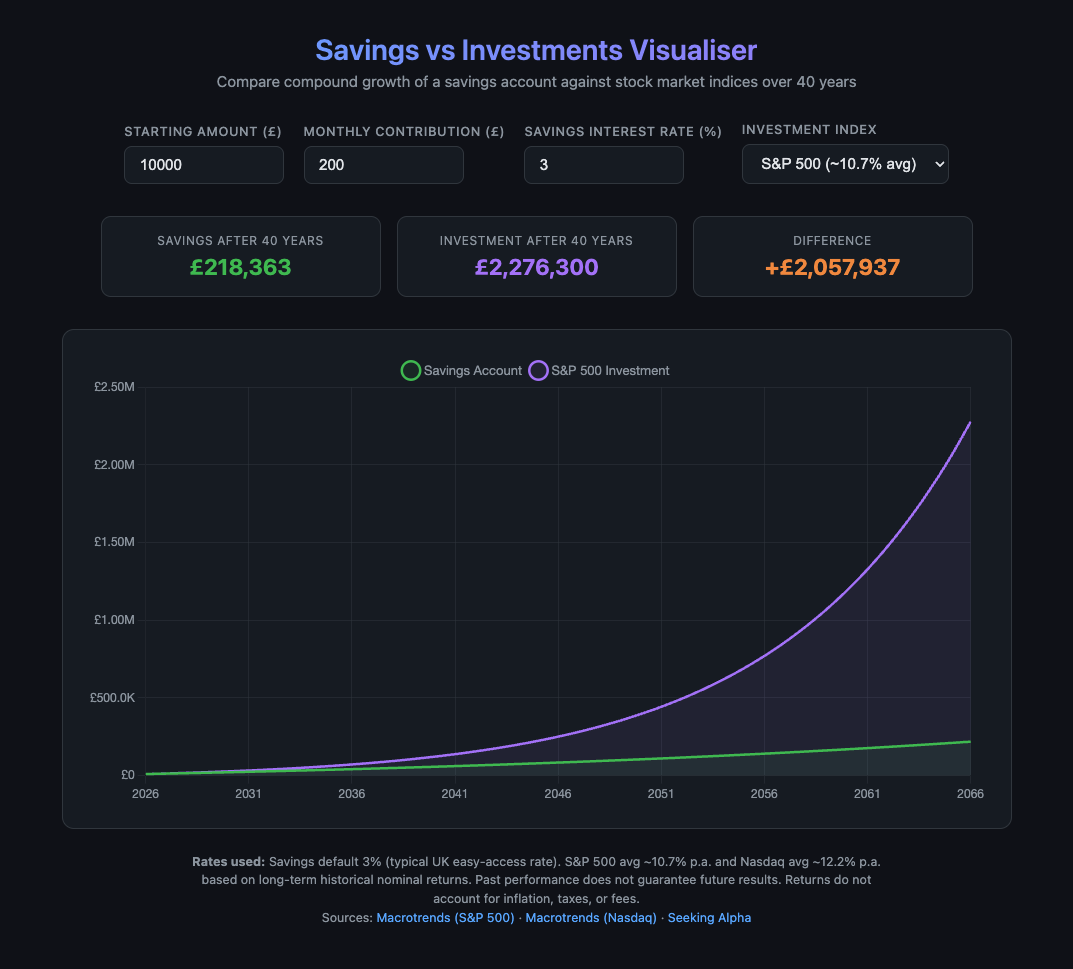
NutriGuide
Personalised vitamin and food recommendations based on health condition.
2026
LLM used: Anthropic Claude - Opus 4.6
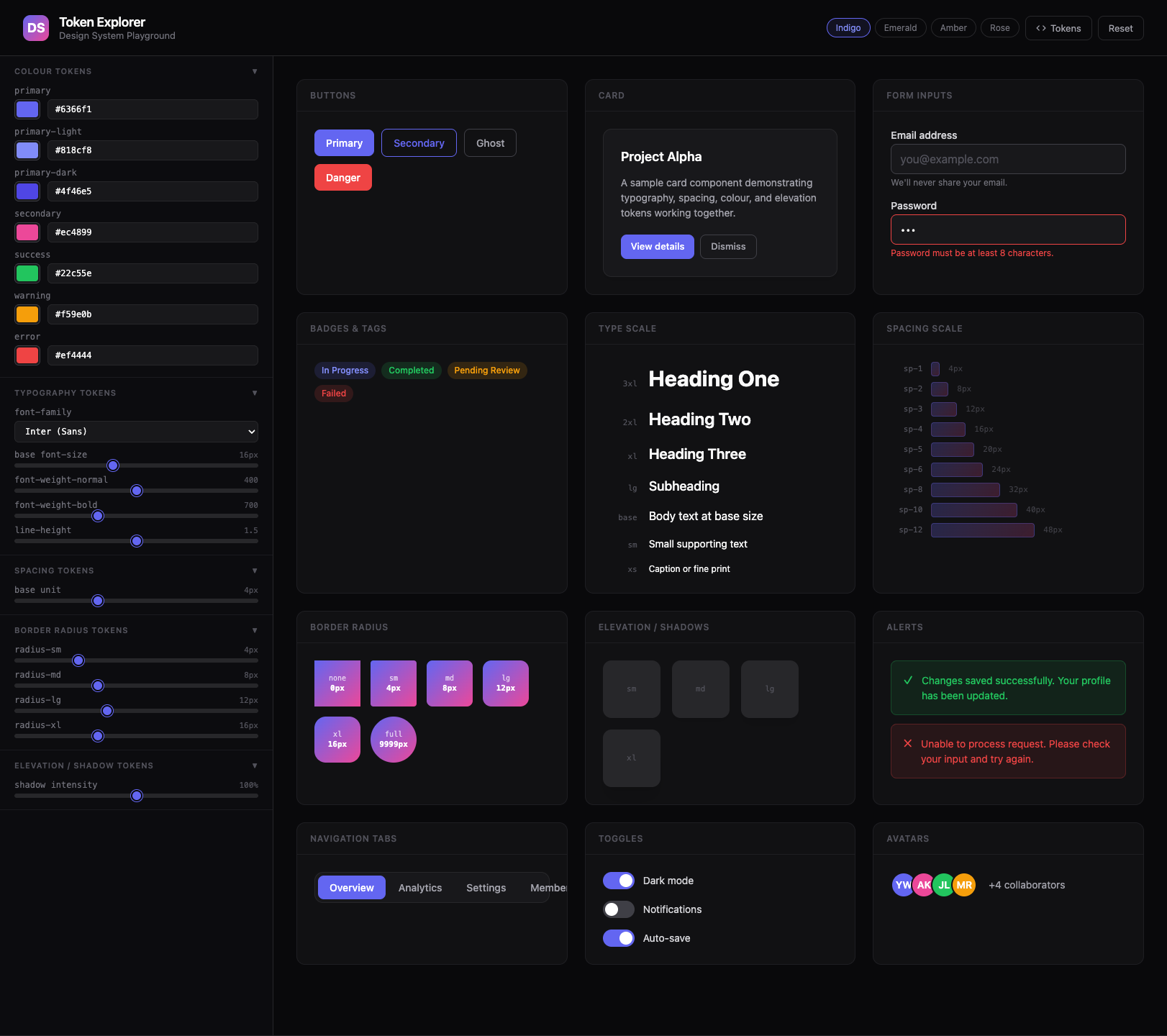
Design System Token Explorer
Design System Playground.
2026
LLM used: Anthropic Claude - Opus 4.6
Features:
- Sidebar controls — tweak colour tokens (with swatch + hex input), typography (font family, base size with auto-scaling ratio, weight, line height), spacing (base unit that cascades through the whole scale), border radius (per-level sliders), and shadow intensity — all updating the live preview instantly.
- 12 sample components that respond to every token change: buttons (primary/secondary/ghost/danger), a card, form inputs with error states, badges, a type scale, spacing scale visualisation, radius preview, shadow/elevation boxes, alerts, tab navigation, toggles, and an avatar stack.
- 4 colour presets (Indigo, Emerald, Amber, Rose) for quick theme switching, a "Tokens" button that reveals the generated CSS custom properties you can copy straight into a codebase, and a reset button.
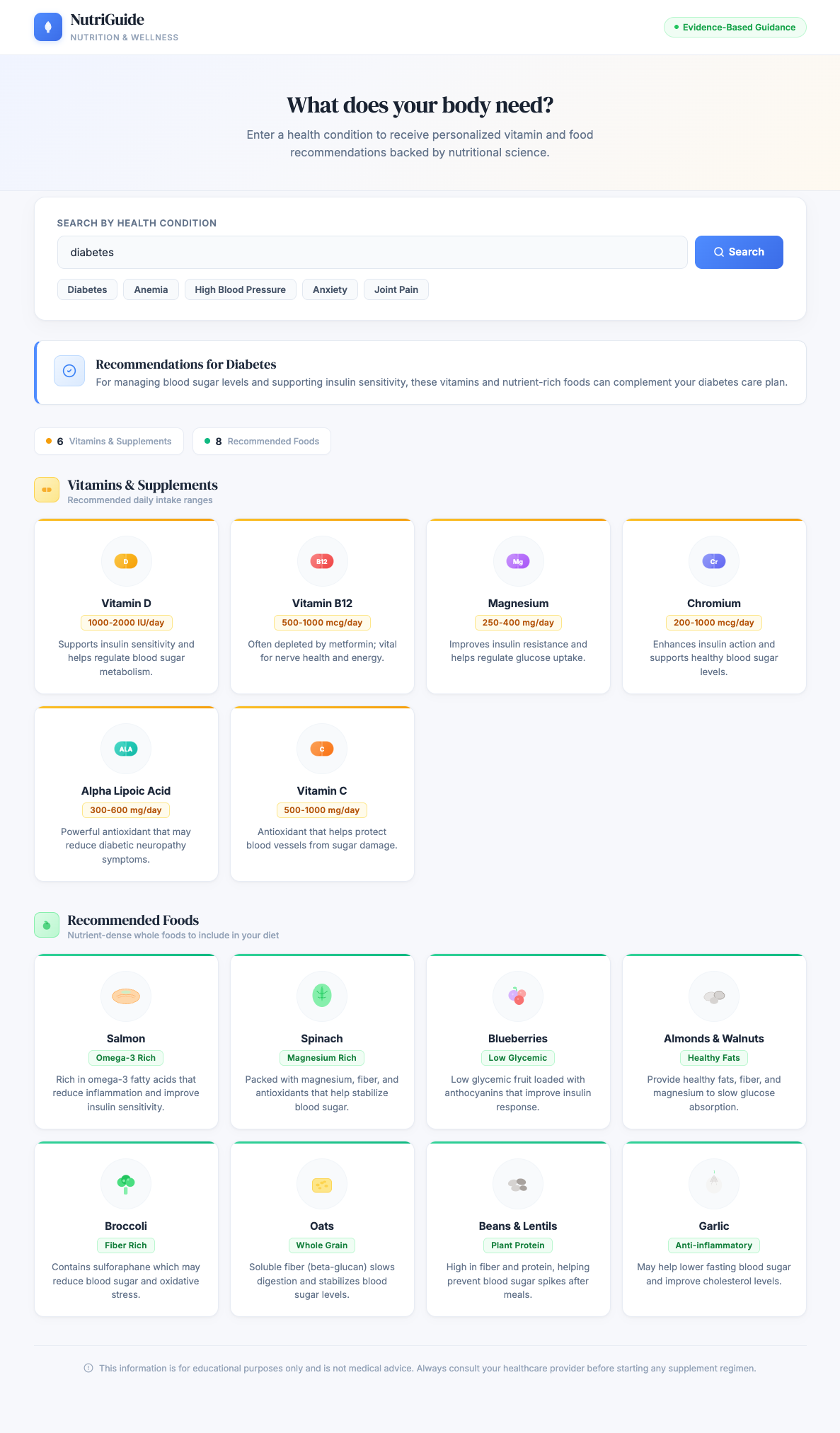
Contrast Checker
WCAG 2.1 Accessibility Compliance.
2026
LLM used: Anthropic Claude - Opus 4.6
Features:
- Colour input — foreground and background pickers with hex fields, RGB readout, a swap button, and a "Random pair" generator that always produces an AA-passing combination.
- Contrast score ring — animated arc showing the ratio against the 21:1 maximum, colour-coded from red through amber to green. Alongside it, a summary showing pass/fail for all four WCAG 2.1 levels (AA Normal, AA Large, AAA Normal, AAA Large), each with the required ratio and a description of what text sizes it applies to.
- Live preview — your colour pair applied to a heading, body text, fine print, a link, chip tags, and icon buttons so you can judge readability across real component patterns.
- Smart suggestions — two panels generating the closest passing foreground and background alternatives by walking the lightness axis of your chosen hue. Each shows a swatch preview, the ratio, AA/AAA badges, and a one-click "Apply" action.
- Colour vision deficiency simulation — Protanopia, Deuteranopia, Tritanopia, and Achromatopsia simulations showing how your pair looks to people with each condition, with the simulated ratio and pass/fail badge.
- Accessible palette strip — a full tint/shade ramp of your foreground hue, with green/red borders indicating which values pass AA against your current background. Click any chip to apply it.